A delivery note is the backbone of every logistics & shipping business because it serves as a guide for every delivery professional. Without it, the delivery process may take longer than usual. A delivery note brings clarity on what to deliver and even accountability to every shipment that leaves your warehouse.
It does not matter if your delivery team carries a physical copy or a digital note; a simple delivery note is so important because when required, the team can easily track the shipment. If you are less familiar with the delivery note for shipping goods, this guide stresses the delivery note meaning, its purpose, and the best example.
What Is a Delivery Note?
A delivery note (or shipping note) is a simple document that outlines the details of the goods to be delivered. Basically, it informs the delivery person and the buyer what’s lying inside the archive box. The names of goods, quantities, sizes, and their weight are among what we usually find in delivery notes.
The logistics team can either make a handwritten note on paper or use a digital delivery note through software to ensure the details don’t fade away over time. The buyer, on the other hand, can also check what the delivery box contains by referring to a note.
Struggling With Misplaced Shipping Documents?
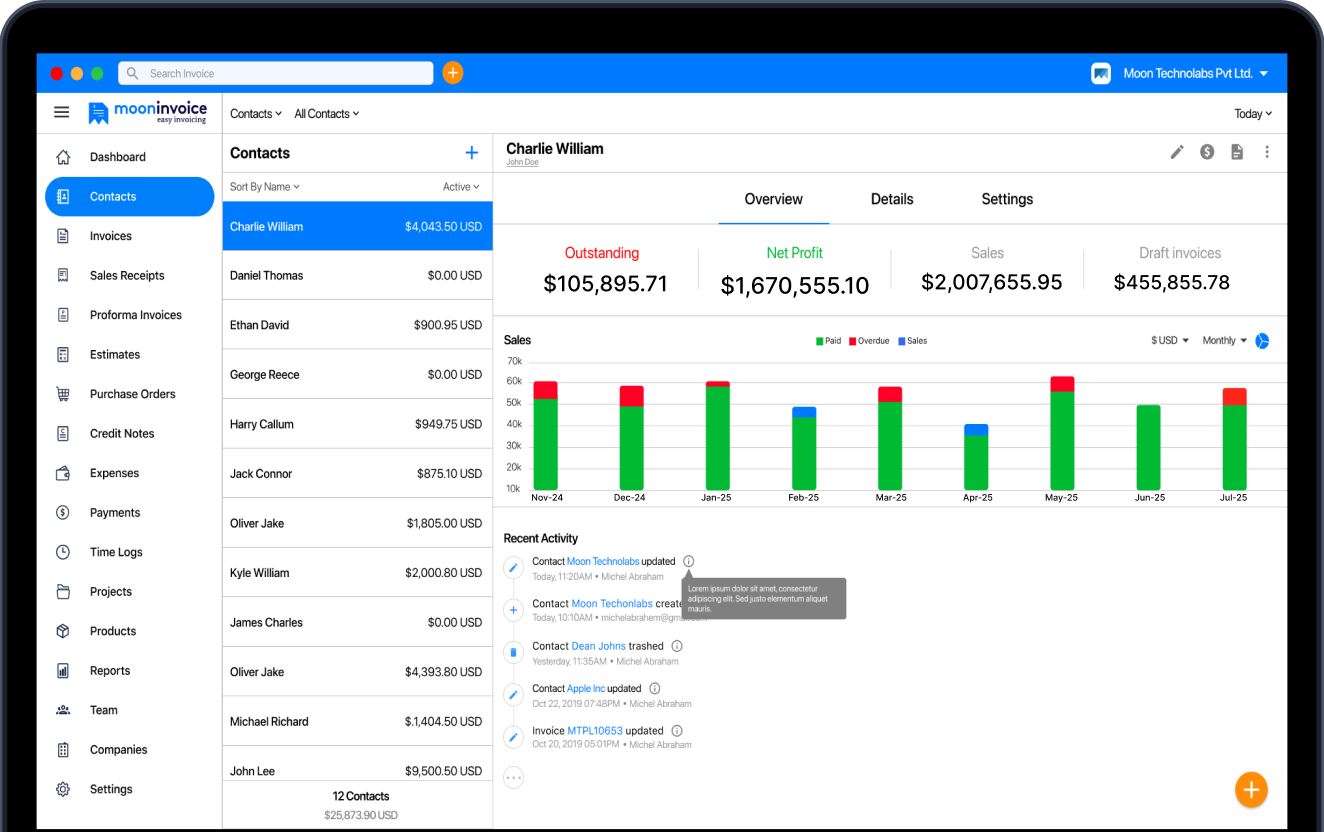
From invoices, credit notes, to delivery receipts, centralize all of them using Moon Invoice and track any one seamlessly.
Delivery Note Example
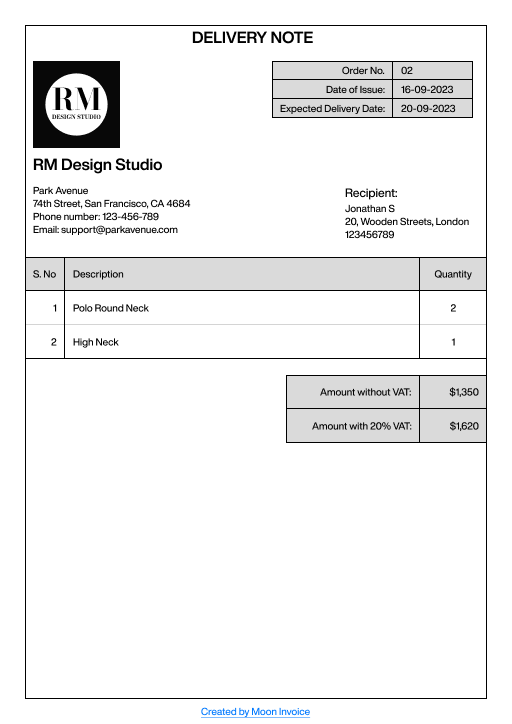
Let’s understand the delivery note format through an example. Suppose a men’s T-shirt manufacturing company named Park Avenue ships 3 T-shirts. The delivery note will be as follows:
What to Include in a Delivery Note?
A question that comes up thousands of times when you are handling logistics operations – what to include depends greatly on the delivery process, industry guidelines, and, of course, the nature of your business.
Generally speaking, a perfect delivery note comprises the following details, along with some special instructions for the delivery team.
- Seller’s information: General details of your logistic company, office address, email id and contact details.
- Receiver’s details: Full details of the receiver, such as name, phone number, and location, including city and zip code.
- Company’s logo: Attach your company’s logo to specify a delivery note that belongs to your business.
- Delivery note number: Mention a unique number whenever you create a separate delivery note for the driver or delivery person.
- Date of issuance: Add the date on top of the delivery note in order to display when it was issued.
- Goods description & quantity: Write the name of an item and its quantity. If needed, include a short description.
- Date of delivery: Define the date on which the final delivery is to be made, so everyone remains on the same page.
- Delivery method: Represent the delivery method chosen by the receiver, like standard or same-day delivery.
How to Create a Delivery Note?
If you are creating a note for the very first time, then here are simple steps to follow in order to create a delivery note quickly.
1. Decide on a Format
Finalize in which format you will be handling the delivery notes – either paper notes or digital documents. If you are operating a small business, using paper notes makes sense, but not for a long time. However, large businesses can utilize advanced software and dispatch notes attached to the invoice or delivery receipt.
Either way, readymade templates are advisable to leave no communication gaps and conduct a faster delivery process. Therefore, discuss with your delivery manager and on-field team whether you want paper notes or notes in a digital format.
2. Enter Required Details
Assuming you already decided on the format, next, add the necessary details, starting with your business name and logo. Highlight in-transit goods, size, and quantity after inspecting the goods’ condition. Later, mention the date of delivery and also the chosen delivery method.
Notably, you can fast-forward entering details when using advanced invoicing and billing software like Moon Invoice. It lets you auto-populate the details from your past history, and for sure, saves the time needed to type every piece of information one by one.
3. Compare Delivery Note with Invoice
Done entering details? Now, compare the note with the invoice you prepared earlier. Make sure both the note and invoice comprise the same information regarding the goods and their quantity or rates.
Because you can not send a wrong invoice for completely different items. This practice also helps your team to keep discrepancies at bay. In case some goods aren’t delivered, delete their entries from a note and revise the invoice amount as well.
4. Maintain Internal Records
Now that a delivery note is created, send an original note to the receiver and keep a copy for your internal company records. If possible, save notes in cloud storage, so everyone from your team can have easy access.
But, if you prefer attaching notes on the boxes, make sure you also send them electronically. This is because paper notes might fade away over time and make it difficult to compare with the items delivered.
Why Delivery Notes Matter for Shipping Companies?
A delivery note accompanying goods aids the delivery team in properly tracking the shipping items once it leaves the warehouse. Besides, if the receiver asks how long it will take for the item to be delivered, then the backend team can provide an appropriate response. In other words, they can satisfy the buyer with the right answers and provide proper assistance in case of any special requests.
Once delivered, customers can ensure that the right product has been received by cross-checking it with the delivery note details. They can also return the product through delivery notes if they find faults.
A note further assists the receiver to compare the details and provide their signature on the delivery receipt, which confirms the delivery has been made to the correct location.
That way, the delivery team can keep a tab on outgoing shipping items and significantly lower the chances of human error while handling a large volume of goods.

Wrapping Up
Logistic companies significantly rely on delivery notes because they bridge the gap between the dispatching process and the actual delivery. When they are managed properly alongside other important documents, notes bring transparency to all members involved in the delivery process.
Above all, what matters is satisfaction on the receiver’s side. And that’s where a delivery note becomes instrumental. If making a physical note is time-consuming for your team, adopt the automation software to automate creating crucial documents. On that note, we recommend trying Moon Invoice for free.
General Questions Often Asked
When to Use a Delivery Note?
Who keeps the original delivery note?
How Can I Create a Delivery Note Easily?
Who will issue a delivery note?



We at Moon Invoice, are the best minds behind smarter invoicing and seamless business growth. We love to solve financial problems and keep providing effective tips through our blogs, newsletters, and social media channels. As a team, we continue exchanging ideas about growing financial challenges and smart use of automation tools.